Remove Leex Ransomware
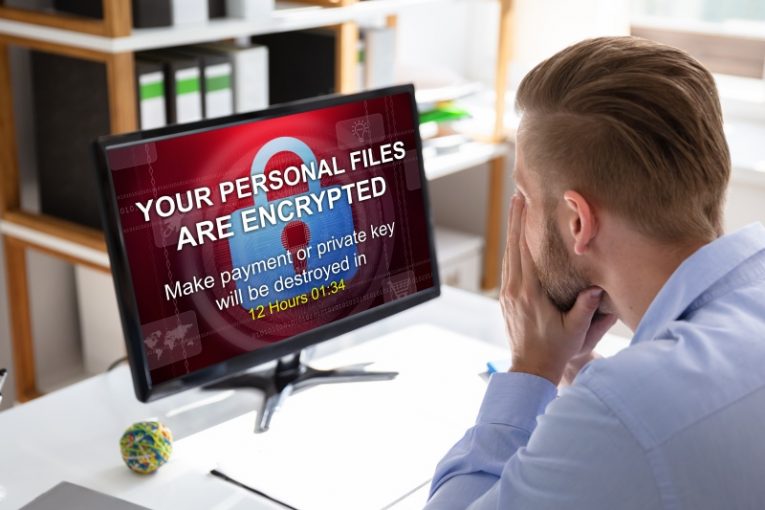
Staying safe from file-encryption Trojans is a valuable skill that every Internet user must learn nowadays. Attacks of this sort have become a moneymaking machine for cybercriminals, and it is unlikely that this trend will die out soon. One of the popular ransomware families in recent months has been the STOP/Djvu one. It has been around for over two years, and cybercriminals rely on it to create dozens of new file-lockers every month. The latest sample goes by the name the Leex Ransomware, and recovering from its attack might be a very difficult task.
Ransomware attacks are so dangerous because they encrypt data, rendering it useless. If they use a flawed file-locking mechanism, it might be possible to reverse the encryption for free. Unfortunately, this is not the case with the Leex Ransomware or any of the other STOP Ransomware variants. Its creators use an excellent file-locking mechanism, which cannot be cracked for free. The Piiq Ransomware and Neer Ransomware are other notable variants of the STOP/Djvu family.
Dangerous File-locker Reaches Systems through Fake Downloads and Phishing Emails
The creators of the Leex Ransomware might deliver it to victims via torrents, pirated media/software, fake downloads, email spam, etc. The best way to stay safe is to use an up-to-date anti-malware software suite. On top of this, users should consider relying on backup services to keep their important data safe.
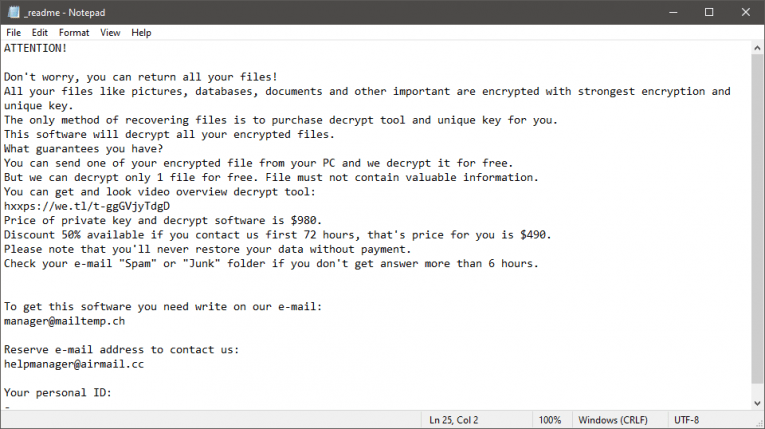
If the Leex Ransomware succeeds in its attack, it will encrypt a large portion of the files on the victim's computer. These files will also experience a minor name change – the '.leex' extension is added to their name. Last but not least, the ransomware drops the ransom message '_readme.txt' on the desktop. The latter file says that victims can purchase a decryptor for $490, paid via Bitcoin. It also lists two addresses, which users can use to contact the attackers - manager@mailtemp.ch and helpmanager@airmail.cc.
Following the instructions of cybercriminals who extort you for money is not a good idea. If you do this, you might end up scammed. Instead, the recommended course of action is to run an antivirus scanner to ensure the malware's removal. After this try restoring files from a backup or by using alternative data recovery options.