Changes To Terms Of Service And Privacy Policy Email Scam
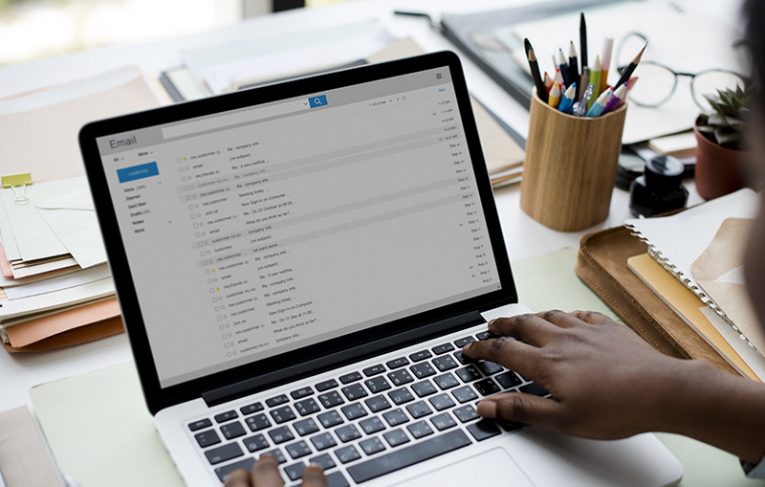
Table of Contents
What’s Behind the Scam?
There's a fraudulent email titled "Changes To Terms Of Service And Privacy Policy." While it appears to be a routine message about policy updates, it's actually a clever phishing attempt. The email claims to inform recipients about updates to their email service's terms and policies, suggesting there's a deadline to confirm these changes. This creates a sense of urgency that encourages recipients to click on links and share their account information.
A Closer Look at the Message
At first glance, this email might look authentic, complete with formal language and familiar logos. However, it's all part of a plan to mislead users. The message insists that if the user doesn't agree to the new terms, they'll lose access to their email account. As a supposed safeguard, the email even offers an option to download account data through a convenient link.
But this link doesn't lead to a legitimate service provider. Instead, it takes users to a phishing page designed to mimic an actual sign-in page. By entering their login credentials, users are unknowingly handing over their sensitive data to scammers.
Here's what the fraudulent message actually says:
Subject: XXXXXXX Mailbox Account On Hold
XXXXXXX Subscriber
We emailed you last month to let you know about changes we are making to our Terms of Service and Privacy Policy. These changes are key steps towards creating what's next for our consumers, like you, while empowering them with transparency and controls over how and when their data is used.
In order to continue to access your Mailbox after May. 26th 2025, you will need to confirm you accept the Terms of Service.Start Now If you do not want the new Terms of Service and Privacy Policy to apply to you, you will no longer be able to access your account from May. 26th 2025. If you would like the contents of your email account, you may obtain a copy of your data by clicking here
Thank you for your time and cooperation.
Webmail Customer Service
Acceptable Use Policy |
Privacy Policy |
Help | Webmail
What Happens When Credentials Are Stolen
The phishing website's true purpose is to capture email login details. Once the scammers have this information, they can do more than just read your emails. Hijacked email accounts can become gateways to other services. If your email is linked to your social media, messaging apps, banking sites, or shopping accounts, scammers may attempt to break into those as well.
Once inside these accounts, cybercriminals can impersonate you, trick your friends or colleagues into sending them money, or post suspicious content in your name. In more serious cases, they might even make unauthorized purchases or withdraw funds from connected financial accounts.
The Wider Reach of Phishing Campaigns
This particular scam is just one example of the many phishing campaigns that circulate online. Other common campaigns include misleading emails about account deactivation notices, fake prize winnings, or password validation alerts. While the messages differ in theme, they share the same purpose: to trick users into giving away personal or financial details.
Spam campaigns are also known for distributing harmful files. They might attach documents, archives, or scripts to these emails. Sometimes, just opening an infected file can start a chain reaction that compromises your computer. In some cases, though, the file requires extra interaction—like enabling macros or clicking embedded links—to fully activate the threat.
Optimal Practices for Avoiding Email Threats
Given how sophisticated these phishing emails can be, it's essential to approach any unexpected message with caution. If you receive an email like "Changes To Terms Of Service And Privacy Policy," take a moment to verify its authenticity before clicking any links. Contact your email service's official support if you're unsure whether an update is real.
If you've already entered your information on a suspicious page, don't panic. Change your passwords immediately, starting with your email and any other accounts that use the same or similar credentials. To add another layer of protection, it's also a good idea to enable two-factor authentication where possible.
Recognizing the Signs of a Phishing Email
One of the best defenses against these scams is knowing what to look for. Be wary of emails that pressure you to act fast or that ask for sensitive information. Legitimate service providers typically don't threaten to block access or close your account without first offering alternative ways to confirm updates—like logging in directly from their main website.
Always double-check links in emails by hovering over them to see where they lead. And if something feels off, it probably is.
Bottom Line
Online threats like this email scam rely on tricking people into taking quick actions without thinking twice. By understanding how these messages work and being careful about the information you share, you can safeguard yourself and your data. Keep your software and security tools up to date, and always verify the legitimacy of requests for personal information.
Scams may evolve, but your best line of defense is your awareness and a careful approach to unexpected emails.