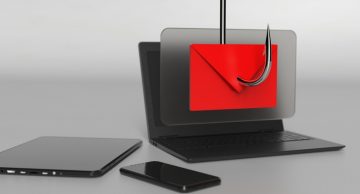
Your Office Account Storage Is Nearly Full Email Scam: A Breakdown Of The Shady Tactics
Table of Contents
An Email Designed to Alarm and Deceive
The "Your Office Account Storage Is Nearly Full" email scam uses urgency to manipulate recipients into taking immediate action. Disguised as an alert about reaching the storage limit of a workplace email account, it encourages users to expand their storage for free. However, this email is not from a legitimate provider. Instead, it is a phishing attempt aimed at stealing login credentials.
How the Scam Works
The email typically claims that once the account's storage is exceeded, users may face interruptions in sending or receiving emails. It offers an easy fix: a link to add 10 GB of temporary free storage. Clicking on the link leads victims to a fake login page designed to collect their credentials. Cybercriminals then use this stolen data for further malicious purposes, such as accessing corporate systems, spreading malware, or committing fraud.
Check out the fraudulent message below:
Subject: YOUR OFFICE ACCOUNT STORAGE IS NEARLY FULL - ACT NOW!!
YOUR OFFICE ACCOUNT " XXXXXXX " STORAGE IS NEARLY FULL - ACT NOW !
Dear XXXXXXX,
Your Office account XXXXXXX is almost out of storage
To avoid disruptions in sending or receiving emails, we recommend expanding your storage by adding an additional 10GB at no cost for now.This temporary upgrade will ensure your account remains functional until you're ready to purchase more space.
Don’t wait until you experience issues – act now to keep your emails running smoothly.
Click to manage your storage
Simply click the link below to secure your extra storage:
Mailqouta.com
We encourage you to take care of this as soon as possible to avoid any impact on your work communications.
If you have any questions or need assistance, please feel free to reach out.
Best regards,
HR Team
Email is generated by XXXXXXX Email server for XXXXXXX
The Hidden Dangers of Falling for the Scam
When an attacker gains access to a workplace email, the implications can be severe. These accounts often contain sensitive data that, if exposed, may compromise an entire organization. Attackers might also use this access to introduce other threats like ransomware, which could disrupt business operations, or use the email to impersonate employees for financial scams or identity theft.
Targeting Sensitive Information
Phishing scams like this one are designed to harvest sensitive information, including login details, personal identifiers, and financial data. Once criminals access an email account, they can exploit it to steal funds, conduct fraudulent transactions, or impersonate the user to trick others into falling for additional scams.
Why Phishing Emails are Effective
One reason such scams succeed is their convincing appearance. Many phishing emails mimic legitimate communication from trusted entities, complete with official-sounding language and branding. This particular scam exploits the common concern over email storage limits to seem plausible. It underscores the importance of scrutinizing unexpected emails, even if they appear professional.
Preventive Measures
To avoid falling victim to phishing scams:
- Verify suspicious emails by contacting your email provider directly.
- Avoid clicking on links in unsolicited emails. Instead, navigate to the official website to address the concern.
- Implement two-factor authentication (2FA) on your accounts for an extra layer of security.
- Keep an eye out for red flags, such as grammatical errors, overly urgent language, or unfamiliar sender addresses.
What to Do if You’ve Been Compromised
If you suspect you've entered your credentials on a phishing site, act quickly. Change your email password immediately and enable 2FA if it isn't already in place. Notify your IT department or email provider to secure your account. If financial accounts may have been compromised, inform your bank or service provider as well.
Key Takes
Phishing emails like "Your Office Account Storage Is Nearly Full" demonstrate how cybercriminals use social engineering to exploit users' trust and urgency. By staying vigilant and informed, you can protect your sensitive information and avoid becoming a victim of such schemes.