Beware of the Unapproved Emails Scam
The Unapproved Emails Scam is a phishing tactic designed to deceive recipients into divulging personal information. These scam emails are often disguised as notifications from reputable email service providers. A common variant involves the use of cPanel, a popular web hosting control panel.
Table of Contents
How the Scam Works
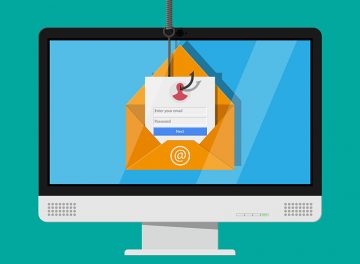
The phishing email claims that the recipient has 13 unapproved emails due to a system delay, providing a specific date and time to enhance its authenticity. It instructs the recipient to release the pending messages to their inbox by clicking a button labeled "Release Pending Messages to Inbox Now." Clicking this button redirects the user to a fake Gmail sign-in page, where they are prompted to enter their email address and password.
Consequences of Falling for the Scam
Once the login credentials are entered, they are sent directly to the scammers. With access to the victim's email account, scammers can:
- Impersonate the email account owner to deceive contacts into sending money, sensitive information, or downloading malware.
- Search the inbox or other folders for sensitive information.
- Change passwords for other online accounts linked to the compromised email address.
- Attempt to access other accounts using the stolen credentials.
- Sell the stolen credentials and other obtained data on the dark web.
Recognizing Phishing Attempts
It is crucial to scrutinize emails before clicking on links or providing personal information. Scammers often include links to phishing sites to steal information and may also distribute malware through these links or attached files. Examples of similar phishing campaigns include "ACH Payment From Craftmaster Hardware," "Wells Fargo - Card Activity Verification," and "American Express Card Deactivation."
How Spam Campaigns Infect Computers
Cybercriminals use spam campaigns to deliver malware via email. They send fraudulent emails with malicious attachments or links. These links might redirect recipients to websites that automatically download malware onto their devices or prompt recipients to download malicious files themselves. Opening these attachments can result in immediate infection or require additional steps, such as enabling macros in a malicious MS Word document, to deploy malware.
Preventing Malware Installation
To avoid malware installation, follow these best practices:
- Download software and files only from official pages and app stores.
- Do not open attachments or links in unexpected or irrelevant emails or messages from unfamiliar senders.
- Avoid clicking on ads, pop-ups, or buttons on dubious websites, and do not allow suspicious websites to send notifications.
- Keep your operating system, installed apps, and security tools up to date.
- Use reputable security software and conduct routine scans on your computer to identify and eliminate potential threats.
If you have already opened malicious attachments, run a scan using an updated and trusted anti-malware program to automatically eliminate any infiltrated malware.
By staying vigilant and adhering to these practices, you can protect yourself from phishing scams and the threats they pose.