Norton Antivirus - Your Windows 10 Might Be Infected Pop-Up Scam
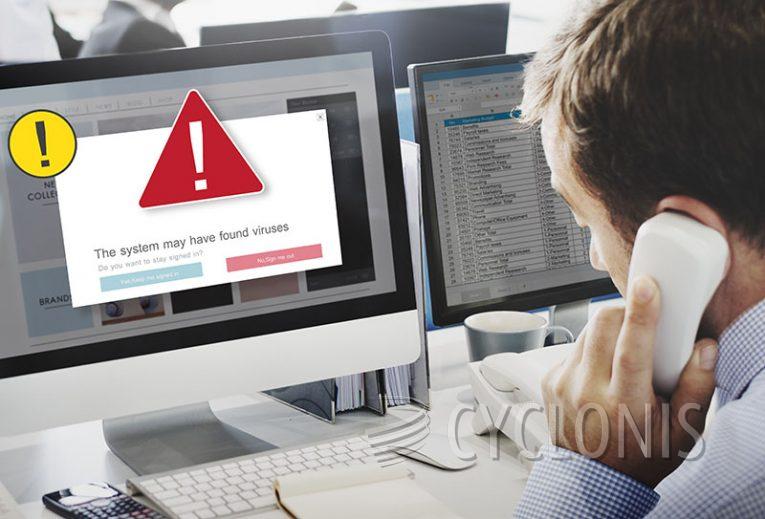
Table of Contents
Understanding the Pop-Up That Claims Your PC Is at Risk
You may have encountered a sudden, alarming message online that reads something like "Norton Antivirus – Your Windows 10 Might Be Infected." It often appears as a pop-up or full-screen warning while browsing. The alert looks urgent and official, claiming your device is in danger and urging you to act quickly. However, this message is not from Norton or any reputable security provider. Instead, it's part of a deceptive scheme designed to create panic and manipulate you into taking specific actions.
How This Scam Attempts to Trick You
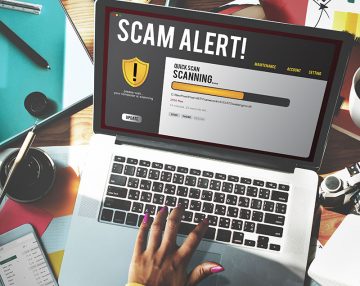
The scam starts by displaying a fake system scan, showing fabricated results that suggest your device has been infected. Here's what these warnings say:
Norton Antivirus
Your Windows 10 might be infected!ACTION REQUIRED!
Your Norton Antivirus Subscription Has Expired!
Renew now to keep your Windows 10 protected.
If your PC is unprotected, it is at risk for viruses and other malware.
Proceed...
These warnings are made to look legitimate, using Norton's branding and design to add credibility. They typically claim that your antivirus subscription has expired and your PC is now vulnerable. The supposed solution? Click a button to "renew your subscription" immediately. This is where the trap is set.
What Really Happens When You Interact With the Scam
Clicking the renewal button doesn't secure your device. Instead, it often redirects you to a third-party website—sometimes an actual checkout page for a product or an imitation designed to collect your personal details. These sites are usually managed by affiliate marketers looking to earn commissions. In more concerning cases, fraudsters might use the form to steal sensitive information such as your name, email, and credit card number.
It’s Not Just About Money—It’s Also About Your Data
Aside from the risk of financial loss, entering your information on such sites can lead to further privacy issues. Once your data is collected, it may be sold to third parties or used in other schemes, such as phishing emails or identity theft attempts. What appears to be a simple security prompt is, in fact, an attempt to harvest user information under false pretenses.
Where These Fake Alerts Typically Come From
Scams like this one are rarely accessed on purpose. Instead, they are often triggered through pop-ups on less reputable websites, such as those hosting free streaming, torrent files, or adult content. They can also appear via push notifications from previously visited sites that were granted permission to display alerts. Additionally, spam emails and social media links from compromised or fake accounts can lead users directly to these scams.
Recognizing the Signs of a Scam Page
One way to identify these fake alerts is to pay attention to what they ask. Real security software doesn't run scans through your browser, and it won't display system health results on unrelated websites. Legitimate companies also won't rush you to make payments or demand action through browser pop-ups. If a message pressures you to act immediately or claims your computer is infected before any diagnostic has been run, it's a red flag.
Why You Should Avoid Clicking 'Allow' on Suspicious Sites
Another trick these scam pages use is prompting you to click "Allow" to verify you're not a robot or to view protected content. Doing so gives the site permission to send browser notifications. These notifications can lead to more scam content, intrusive ads, or attempts to promote additional untrustworthy services. It's best to deny or ignore notification requests from any site that seems unfamiliar or suspicious.
What to Do If You Encounter the Scam
If you land on a page showing the "Norton Antivirus – Your Windows 10 Might Be Infected" message, close the tab or browser window immediately. Do not click on any links or interact with the content. If you granted notification permissions, go into your browser settings and revoke them. For Chrome, you can find this under "Settings > Privacy and security > Site settings > Notifications." From there, remove any suspicious sites from the allowed list.
How to Stay Protected in the Future
To avoid falling for scams like this, adopt a few safe browsing habits. First, only download software from trusted, official sources—such as company websites or verified app stores. Second, avoid clicking on pop-ups or ads that make bold or urgent claims about your device. Third, be cautious with emails or direct messages from unfamiliar senders, especially if they come with links or attachments. And finally, make it a routine to review your browser's settings to ensure no unauthorized permissions have been granted.
Final Thoughts
The "Your Windows 10 Might Be Infected" pop-up that mimics Norton Antivirus is just one example of how cyber tricksters use fear and urgency to exploit unsuspecting users. While these messages can seem convincing, knowing how they work—and how to avoid them—puts you in control. By browsing carefully, staying informed, and thinking twice before clicking, you can sidestep these digital traps and keep your personal information safe.