How To Steer Clear Of The New Webmail 2.0 Email Scam
Table of Contents
A Deceptive Email Scam Targeting Users
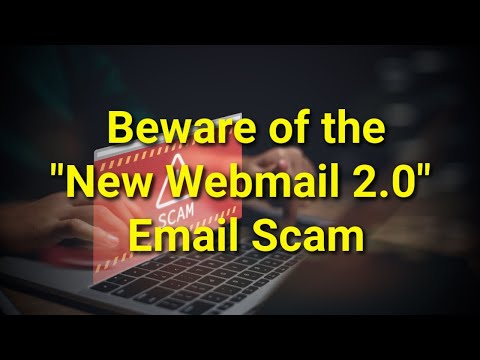
A phishing email is making the rounds, posing as an urgent notification about pending messages and email account re-authentication. This email falsely claims to be from an email administrator and attempts to deceive recipients into revealing their login credentials. Recognizing and avoiding such scams is crucial to protecting personal information.
False Claims About Pending Emails
The fraudulent email asserts that the recipient has 11 pending messages on the server due to an authentication issue. It attributes this problem to the user's failure to log in to the so-called latest Webmail v2.0 system. To solve the issue, the email instructs the recipient to click a button and re-authenticate their account.
Here's what the fraudulent message says:
Subject: New Message Notification - XXXXXXX Notice
XXXXXXX - Administrator | New Webmail 2.0User: Postmaster
Email: XXXXXXX
You have 11 incoming pending on the XXXXXXX server.
An error occurred because you have not (never) logged in via the latest Webmail v2.0Use the button below to login and re-authenticate your account to receive pending email.
Webmail 2.0 - LoginAll users must authenticate via the new webmail by: March 04, 2025. You can change the frequency of these notifications within your mailbox portal.
Regards,
XXXXXXX Server Support
Urgency and Pressure Tactics
To make the scam seem more convincing, the email sets a deadline for completing the authentication process. It warns that failing to act within the given timeframe could result in restricted email access. This is a common phishing tactic used to pressure users into acting quickly without verifying the legitimacy of the request.
Fake Webmail Login Page
Clicking on the button labeled "Webmail 2.0 - Login" directs users to a counterfeit Webmail sign-in page. This fake website is designed to collect login credentials, such as email addresses and passwords. Any information entered on this page is transmitted directly to scammers.
Risks of Providing Personal Information
If login credentials are stolen, scammers can exploit compromised email accounts in multiple ways. They may use the account to send scam emails, distribute harmful software, or steal sensitive personal data. Additionally, if the victim uses the same credentials for other services, scammers could access social media, banking, or work-related accounts.
Stolen Information and Its Consequences
Cybercriminals who obtain login details can use them for identity theft or financial fraud. In some cases, they sell stolen data to third parties, increasing the likelihood of further security breaches. Once an email account is compromised, it can also be used to target the victim's contacts with similar scams.
How Phishing Emails Deceive Users
Phishing scams often impersonate legitimate organizations to build trust. They rely on urgency and fear tactics to pressure recipients into entering personal details on deceptive websites. The consequences of falling for such scams range from unauthorized access to email accounts to potential financial loss and data breaches.
Other Notable Email Scams
Similar phishing schemes include emails falsely claiming to be from financial institutions or service providers. Examples of scams that attempt to steal personal information include "Trust Wallet Sign-In Attempt," "Capital One - Card Restricted Email Scam," and "Login From A New Device." These scams operate using similar methods, tricking users into revealing their credentials.
Email-Based Threat Distribution
Beyond stealing personal information, email scams are also used to distribute harmful software. Some phishing emails contain attachments disguised as legitimate files, such as Microsoft Office documents, PDFs, script files, or compressed archives. Once opened, these files can execute harmful programs that compromise the device.
Malicious Links in Deceptive Emails
Some fraudulent emails include links that lead to harmful websites. These sites may automatically download harmful software onto the user's system or prompt the user to install programs manually. Clicking on these links can put both personal data and device security at risk.
How to Stay Safe from Email Scams
To avoid phishing emails, users should be cautious when dealing with unexpected messages, especially those requesting login information or containing suspicious attachments. Verifying the sender and inspecting the email content for inconsistencies can help detect fraudulent messages.
Best Practices for Email Security
Users should not click links or downloading attachments from unknown sources. Keeping operating systems and software updated reduces vulnerabilities that scammers might exploit. Additionally, performing regular security scans with a trusted protection tool can help detect and remove threats.
Key Takes
Phishing scams like the New Webmail 2.0 Email Scam continue to evolve, using deceptive tactics to trick users into revealing sensitive information. By staying informed and practicing cautious online behavior, users can reduce the risk of such fraudulent schemes. Always verify emails before taking action and prioritize cybersecurity awareness to safeguard personal data.
Why You Should Beware Of The “New Webmail 2.0” Email Scam That Steals Personal Data