Message Sent Using DocuSign Service Email Scam Wants You To Take the Bait
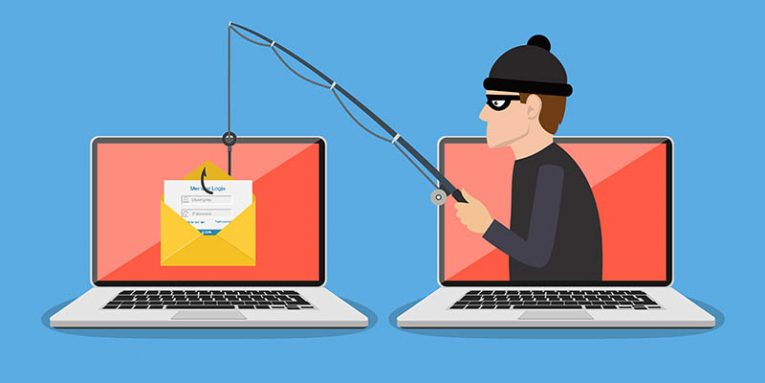
The "Message Sent Using DocuSign Service" email scam is a deceptive phishing campaign designed to trick users into revealing their sensitive login credentials. While cleverly disguised, this scam preys on unsuspecting recipients by mimicking legitimate communication. Here, we unpack the tactics behind the scam, its potential consequences, and how you can protect yourself.
Table of Contents
What Is the DocuSign Email Scam?
The scam involves fraudulent emails claiming to be from DocuSign, a trusted provider of electronic signature services. These emails often feature subject lines like "(1 New) DocuSign Electronic Signature" to create a sense of urgency. They inform recipients about a shared document and encourage them to click a "REVIEW DOCUMENTS" button.
However, instead of accessing legitimate content, recipients are redirected to a phishing website, impersonating a trusted platform such as OneDrive. The site requests users to verify their identity by entering their email credentials, which scammers then capture.
Here's the full message:
Subject: (1 New) DocuSign Electronic Signature
Hi -,
This message was sent to you using the DocuSign Service.
Do Not Share This Email
This email contains a secure link to DocuSign. Please do not share this email, link, or access code with others.
REVIEW DOCUMENTS
Download the DocuSign App
This message was sent to you using the DocuSign Electronic Signature Service.
No Connection to the Real DocuSign
It's important to note that this email scam has no affiliation with DocuSign, Inc. or any other genuine organization. The scammers merely exploit DocuSign's reputation to make their fraudulent emails appear legitimate.
Similarly, the phishing site involved in this scam is not associated with Microsoft or its OneDrive service, despite its appearance. Any claims or requests made through these emails should be treated as fraudulent.
The Mechanics of Phishing Emails
Phishing campaigns are designed to deceive users into sharing sensitive information. Once users provide their login credentials on the fake website, these details are transmitted to scammers. Email accounts are particularly valuable targets as they often serve as hubs for communication and links to other services.
Scammers can misuse compromised email accounts to send spam, request money from contacts, or distribute malicious links. Additionally, they may exploit connected accounts—such as social media, online banking, or digital wallets—for identity theft or unauthorized transactions.
Financial and Privacy Risks
Falling victim to scams like the DocuSign email can have far-reaching consequences. Scammers may use stolen credentials to access e-commerce platforms, transfer funds, or make fraudulent purchases. Beyond financial risks, victims could face identity theft or misuse of their online presence.
These types of scams highlight the importance of being cautious when handling emails, particularly those requesting sensitive information or urging immediate action.
Why Phishing Emails Are Effective
While many people associate phishing emails with obvious errors and poor grammar, modern scams are often polished and convincing. Fraudulent messages can closely mimic official communication from reputable organizations, complete with branding and professional language.
The success of phishing campaigns lies in their ability to appear legitimate, creating a false sense of trust that encourages recipients to take action without second-guessing.
The Hidden Dangers of Email Attachments
Phishing emails don't just target login credentials—they can also distribute harmful attachments. These attachments may come in formats such as PDFs, Word documents, ZIP archives, or executable files. When opened, they may trigger an infection process that compromises the user's system.
Some file types require additional user interaction to activate malicious content. For instance, Microsoft Office documents may prompt users to enable macros, while other file types might contain embedded links. These tactics increase the likelihood of successful infections.
Protecting Yourself From Phishing Emails
Vigilance is your best defense against phishing emails. Be cautious with any unsolicited messages that include attachments or links, particularly if they seem irrelevant or out of place. If you encounter a suspicious email, do not click on any links or download attachments.
Instead, verify the legitimacy of the message by contacting the supposed sender through official channels. Legitimate organizations will never ask for sensitive information through unsolicited emails.
Broader Internet Safety Practices
Beyond emails, scams, and deceptive content are prevalent across the internet. To stay safe, always download files or applications from official sources. Avoid using unauthorized tools or updates, as these may contain harmful content.
It's also a good practice to regularly update your system and software, ensuring they are equipped with the latest security patches. These updates often address vulnerabilities that scammers might exploit.
What To Do If You’ve Been Targeted
If you've inadvertently entered your login credentials on a phishing site, act quickly to minimize the impact. Change your passwords immediately, starting with the affected account and any others using the same credentials.
Additionally, reach out to the official support teams of the affected services for further assistance. They may help you secure your accounts and prevent further unauthorized access.
Bottom Line
The "Message Sent Using DocuSign Service" email scam reminds us of the importance of vigilance these days. While scams are becoming increasingly sophisticated, staying informed and cautious can help protect your personal information and finances. Always verify the authenticity of messages and practice safe online habits to stay one step ahead of scammers.