MeshAgent Malware Compromises Ukrainian Government Systems in Targeted Phishing Campaign
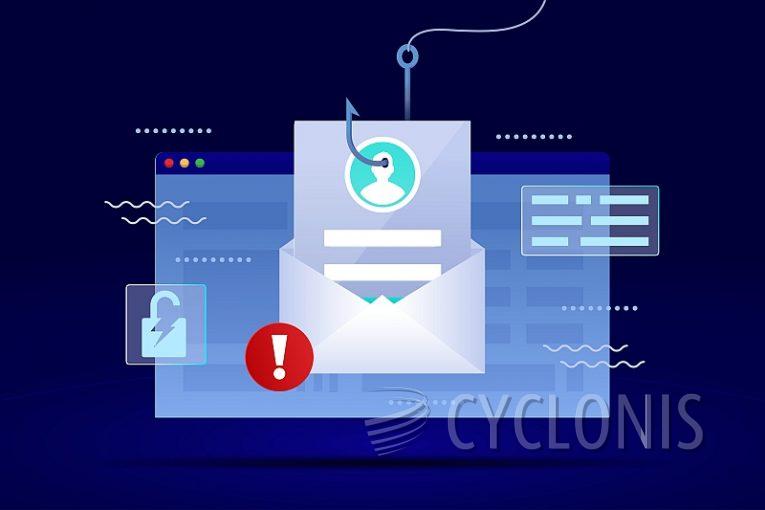
A recent phishing campaign has compromised over 100 Ukrainian state and local government computers, deploying the MeshAgent malware through emails masquerading as official communication from the Security Service of Ukraine (SBU). The Computer Emergency Response Team of Ukraine (CERT-UA) identified this attack on Monday, highlighting the increasing sophistication of cyber threats facing Ukraine amid ongoing conflict.
Table of Contents
How the Attack Unfolded
The phishing emails, appearing to originate from the SBU, directed recipients to download a file named "Documents.zip." Instead of legitimate documents, the link delivered a malicious Microsoft Software Installer (MSI) file, such as "Scan_docs#40562153.msi." When executed, this file deployed the ANONVNC malware—an iteration of the MeshAgent software tool—granting attackers covert and unauthorized access to the compromised systems.
Understanding ANONVNC (MeshAgent) Malware
The ANONVNC malware is a variant of MeshAgent, a remote management tool typically used with the MeshCentral open-source platform. Although MeshAgent is not inherently malicious, threat actors have increasingly weaponized it to establish persistent backdoors on compromised systems, enabling remote access and control through protocols like VNC, RDP, or SSH.
Key features of MeshAgent that make it attractive to cybercriminals include:
- Seamless Connection: MeshCentral connects with endpoints without user intervention, making it easy for attackers to maintain access.
- Unauthorized Access: Attackers can control the infected systems remotely via RDP, often without the user's consent or knowledge.
- System Control: MeshAgent allows for remote operations, such as waking, restarting, or shutting down systems.
- Command and Control: MeshCentral can execute shell commands and transfer files on the target machine, all while evading detection.
- Undetectable Operations: The malware operates under highly privileged system accounts, blending in with legitimate background tasks.
- Unique File Hashes: Each instance of MeshAgent is uniquely generated, complicating detection efforts based on file hashes.
Technical Details of MeshAgent’s Operation
On a Windows system, MeshAgent typically follows these steps:
- Launches the MeshCentral background service.
- Connects to the MeshCentral server, establishing a communication channel.
- Installs using the
-fullinstallcommand flag, placing its executable atC:\Program Files\Mesh Agent\MeshAgent.exe. - Creates configuration storage in the registry at
HKLM\System\CurrentControlSet\Services\Mesh Agent. - Adds a registry key at
HKLM\System\CurrentControlSet\Control\SafeBoot\Network\MeshAgentto enable network access during Safe Mode. - Modifies Windows services to ensure persistence and enable WebRTC traffic through the firewall.
- Executes actions using privileged system accounts such as NT AUTHORITY\SYSTEM and LocalService.
Upon reconnecting to MeshCentral, MeshAgent further entrenches itself by creating a registry key at HKLM\SOFTWARE\Microsoft\Windows NT\CurrentVersion\Schedule\TaskCache\Tree\MeshUserTask, scheduling tasks like wake, sleep, and command execution. If the malware reconnects without permission, it alters the connection manager service from "demand start" to "auto start," ensuring continued access.
Wider Implications and Suspected Campaign
CERT-UA's analysis suggests that this campaign may extend beyond Ukraine's borders, with evidence pointing to over a thousand potentially related MSI and EXE files uploaded to pCloud since August 1. The campaign, believed to have started in July 2024, has been attributed to a threat actor tracked as UAC-0198.
The timing of the phishing attack coincides with a significant Ukrainian military offensive in the Kursk region, leading to speculation that this cyber assault may be part of a broader Russian strategy to disrupt Ukrainian government operations.
How to Remove MeshAgent Malware
If you suspect that your system has been compromised by MeshAgent malware, immediate action is essential to mitigate the threat. Here are steps you can take to remove the malware:
- Disconnect from the Network: Isolate the infected system to prevent further unauthorized access.
- Identify and Terminate Malicious Processes: Use Task Manager to identify and stop any suspicious processes related to MeshAgent.
- Remove Malicious Files: Navigate to
C:\Program Files\Mesh Agent\and delete theMeshAgent.exefile and associated directories. - Clean the Registry: Use a registry editor to remove the following keys:
HKLM\System\CurrentControlSet\Services\Mesh AgentHKLM\System\CurrentControlSet\Control\SafeBoot\Network\MeshAgentHKLM\SOFTWARE\Microsoft\Windows NT\CurrentVersion\Schedule\TaskCache\Tree\MeshUserTask
- Check for Persistence Mechanisms: Verify that no unauthorized changes have been made to Windows services, firewall settings, or scheduled tasks.
- Perform a Full System Scan: Use reputable antivirus or anti-malware software to scan the entire system for any remaining traces of the malware.
- Rebuild the System if Necessary: If the infection is severe, consider restoring the system from a clean backup or performing a full OS reinstallation.
Protecting Against Future Attacks
To prevent future infections, ensure your email filters are updated to block phishing emails, keep all software up to date, and educate users on the dangers of clicking on suspicious links or downloading unsolicited attachments.
By staying vigilant and taking proactive security measures, organizations can safeguard their systems against sophisticated threats like MeshAgent malware.