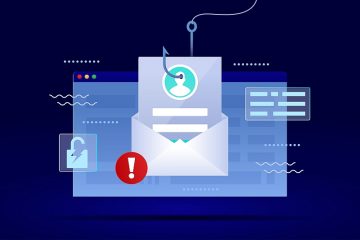
Email Verification Campaign Scam: A Deceptive Attempt to Steal Credentials
Table of Contents
A False Sense of Urgency
The Email Verification Campaign scam is a deceptive email designed to trick recipients into handing over their login credentials. This fraudulent message is framed as a routine verification process aimed at confirming active email accounts. However, this claim is entirely false and has no affiliation with any legitimate email service provider.
Redirecting Users to Phishing Sites
Within the email, users are prompted to click on a "VERIFY" button, supposedly to complete the verification process. Instead of leading to a genuine service provider, this link redirects users to a phishing website. These fraudulent sites are often designed to mimic official login pages, capturing any entered credentials and transmitting them to scammers.
Here's what the fake email says:
Subject: Important Update - XXXXXXX: Email Verification Campaign
Email Verification Campaign
XXXXXXX You are receiving this message as an existing user
We regularly tune-up by conducting email verification campaigns. This validation process is to check whether your email address is still active or not, please verifty below to continue
VERIFY
The data collected is treated with confidentiality and will not be shared other than for the purposes stated.
® 2025 XXXXXXX Support. All Rights Reserved
How Stolen Credentials Can Be Misused
Once cybercriminals gain access to a victim's email account, they can leverage it for various malicious activities. These may include accessing linked accounts, impersonating the victim to request money from contacts, and distributing additional scam emails or harmful links.
Financial and Identity Theft Risks
Beyond email hijacking, compromised credentials can grant access to banking platforms, online wallets, and e-commerce accounts. This could lead to unauthorized financial transactions, fraudulent purchases, or even identity theft, potentially causing long-term damage to the victim's financial security.
Immediate Actions After Exposure
If you suspect that you have entered your credentials into a phishing site, it is crucial to act swiftly. Change your email password immediately and update security settings for any accounts associated with that email address. Additionally, reaching out to the official support team of the affected service can help mitigate further risks.
Recognizing Red Flags in Scam Emails
Fraudulent emails often contain telltale signs, such as generic greetings, poor grammar, and urgent demands for action. However, some phishing messages are more sophisticated and closely resemble legitimate communications from well-known companies. Users should carefully examine emails for inconsistencies, such as suspicious sender addresses or unexpected requests for sensitive information.
Phishing Campaigns Go Beyond Credential Theft
While many phishing emails aim to steal login credentials, others seek to distribute harmful files. Fraudsters may attach documents or provide links, leading to malicious downloads. These files often come in various formats, such as executable programs, compressed archives, or even manipulated Office documents requiring users to enable macros.
The Dangers of Clicking Suspicious Links
Opening links or downloading attachments from unverified emails can trigger unwanted installations of harmful software. Some of these files execute background processes that compromise the security of the affected system, potentially leading to further unauthorized access or data breaches.
How to Stay Safe from Email Scams
To minimize exposure to phishing attempts, users should remain cautious when dealing with unexpected emails, messages, or notifications. Avoid clicking links or downloading attachments from unfamiliar sources. If an email claims to be from a known company or service, verify its legitimacy by visiting the official website directly instead of using embedded links.
Safe Download and Browsing Practices
Protecting personal information also involves adopting secure online habits. Always download software and updates from verified sources and avoid third-party sites that may distribute compromised applications. Additionally, enabling multi-factor authentication (MFA) on accounts can provide an additional layer of security against unauthorized access.
Final Thoughts
Cybercriminals are continuously refining their tactics, making it essential for users to stay informed and vigilant. Recognizing common signs of phishing emails, verifying messages before taking action, and securing accounts with strong passwords can reduce the risk of such scams. By staying cautious and adopting cybersecurity best practices, users can shield their personal and financial information from fraudsters.