Email Is Due For Validation: Protect Yourself From Phishing
Table of Contents
Beware of the “Email Is Due For Validation” Scam: Protect Yourself from Phishing
In recent phishing campaigns, recipients have reported receiving emails claiming their email accounts are at risk of being blocked or require validation. These deceptive emails often display the Microsoft logo and urge users to click a "Re-authenticate Now" button. This action leads them to a fake Gmail sign-in page designed to steal their login credentials.
Understanding the Deception
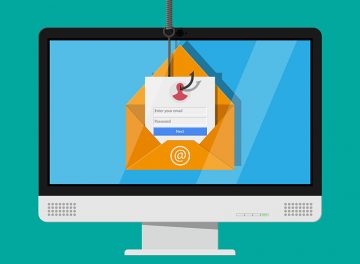
The fraudulent website mimics a legitimate Gmail sign-in page, prompting users to enter their email address and password. Once entered, this sensitive information is immediately sent to cybercriminals. With access to these credentials, scammers can perpetrate various malicious activities. They might send phishing emails to contacts in the victim's address book, distribute malware, or attempt unauthorized access to other accounts, such as social media or banking.
Here's an example of the scam email:
Subject: Your Email XXXXXXX will be blocked
XXXXXXX Validation
Hello XXXXXXX ,
XXXXXXX is due for validation.
Re-authenticate XXXXXXX below.Re-authenticate Now
XXXXXXX Validator
Potential Risks and Consequences
Falling victim to such phishing schemes can have severe repercussions. Identity theft, financial losses due to stolen personal accounts or money, and other detrimental outcomes are common. Email users must exercise caution and refrain from providing personal information or clicking on suspicious links without verifying their legitimacy.
Recognizing Phishing Tactics
Phishing emails are crafted to appear legitimate, often using logos and language that mimic reputable organizations or services. They aim to evoke urgency or fear, pushing recipients into taking immediate action without considering the potential risks. Verifying the authenticity of emails and scrutinizing links, attachments, and requests for personal information are essential steps in protecting against phishing scams and malware.
Methods of Malware Distribution
In addition to phishing, malware can infiltrate computers through email attachments or links. Malicious attachments commonly include Microsoft Office documents, PDF files, archives, executables, JavaScript files, and more. Opening these attachments or clicking on malicious links can initiate malware downloads or execution, compromising the security of the user's device.
Protective Measures
To safeguard against phishing and malware attacks via email, users should adopt several preventive measures:
- Exercise Caution: Be wary of unexpected emails from unfamiliar senders and avoid opening attachments or clicking on links unless their authenticity is verified.
- Download Software Safely: Obtain software exclusively from official websites and reputable app stores. Avoid using unauthorized sources, as they may distribute pirated software, key generators, or malware-impaired cracking tools.
Final Thoughts
Staying vigilant against phishing attempts like the "Email Is Due For Validation" scam is crucial in safeguarding personal information and maintaining digital security. By remaining cautious about the emails you receive, scrutinizing their contents, and refraining from clicking on suspicious links or attachments, you can mitigate the risks posed by phishing and malware threats. Always prioritize the security of your personal data and devices to prevent falling victim to cyber scams and malicious activities online.