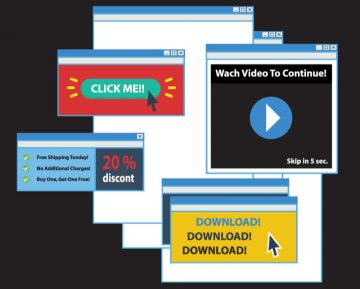
ConnectionHandler Adware May Bombard You With Potentially Malicious Pop-ups & Ads
ConnectionHandler is designed to feed users with unwanted and potentially malicious ads.
Adware, short for advertising-supported software, is designed to generate revenue for its developers by displaying third-party advertisements. While this might sound harmless, the reality is that adware can be a gateway to online scams, malicious software, and even malware. One such adware, ConnectionHandler, exemplifies the risks associated with these types of programs.
Table of Contents
What is Adware?
Adware infiltrates your device under the guise of legitimate software, displaying ads that often promote untrustworthy or harmful content. Clicking on these ads can trigger scripts that download or install malicious software without your consent. Even if the advertised content seems genuine, it's likely part of a scam aimed at earning illegitimate commissions through affiliate programs.
The Risks of ConnectionHandler
ConnectionHandler, like other adware, can compromise your system's safety and your personal privacy. Even if it fails to display advertisements due to incompatibility with your browser or system, its mere presence is a threat. Adware applications like ConnectionHandler often come with data-tracking functionalities, collecting sensitive information such as browsing history, login credentials, and financial details. This data can be sold to third parties or used for further malicious activities, leading to serious privacy breaches, financial losses, and even identity theft.
Browser Hijacking and Data Tracking
While analyzing ConnectionHandler, we did not observe browser-hijacking capabilities, which some other AdLoad applications exhibit. However, the data-tracking aspect is still a significant concern. Adware can record and misuse personal information, which may include:
- Browsing and search histories
- Internet cookies
- Login credentials
- Personal identifiable details
- Financial data
This data is highly valuable to cybercriminals who can exploit it for various malicious purposes.
Examples of Adware
Recent examples of adware include AssistiveLibrary, BasicApplication, and HandlerRecord. These programs often appear legitimate and offer enticing functionalities, but in reality, they rarely work as advertised. Even if they do function as promised, it doesn't guarantee their safety or legitimacy.
How Does ConnectionHandler Install on Your Computer?
Adware commonly spreads through bundling, where unwanted software is packaged with legitimate program installers. These bundles are often found on freeware sites, P2P networks, and other dubious sources. Users inadvertently install adware by rushing through installation processes, ignoring terms, and using default settings. Additionally, intrusive ads can execute downloads and installations without user consent, further spreading adware.
Preventing Adware Infections
To avoid adware, download software only from official and verified sources. During installation, take the time to read terms and conditions, explore all options, and opt for "Custom" or "Advanced" settings to decline any unwanted extras. Be vigilant while browsing, as fraudulent content often appears genuine. If you encounter intrusive ads or redirects, inspect your system and remove any suspicious applications or browser extensions.
If your computer is already infected with ConnectionHandler, running a scan with a reputable anti-malware application is recommended to eliminate the threat automatically.
Adware like ConnectionHandler poses significant risks to your system's security and your personal privacy. By understanding the methods of adware distribution and taking proactive measures during software installation, you can protect yourself from these hidden threats. Stay informed and vigilant to keep your digital life safe from the dangers of adware.