Ccps Ransomware Continues the STOP Ransomware Campaigns
STOP Ransomware's latest variant goes by the name Ccps Ransomware, and it is an exceptionally dangerous threat for your system. It has the ability to lock you out of your files through the use of a complicated file-encryption attack. During this attack stage, the Ccps Ransomware will make sure to encrypt the contents of valuable files – documents, images, videos, archives, spreadsheets, and many others. Once it encrypts a file successfully, the malware will tag its name with the suffix '.ccps.'
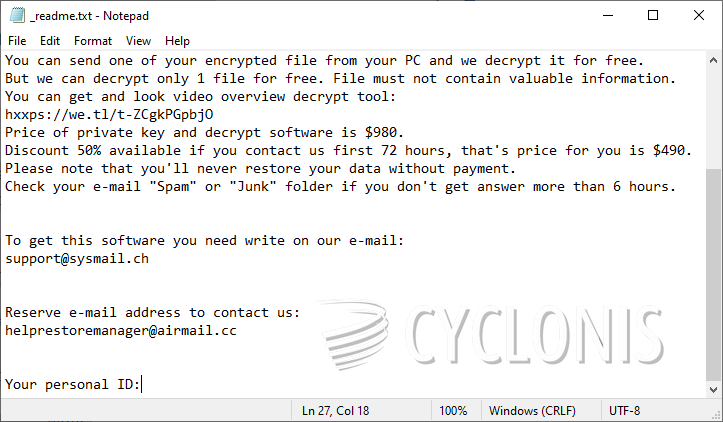
Of course, the Ccps Ransomware creators are looking to receive money from their victims. The malware will usually end its attack by creating the ransom message '_readme.txt' on the desktop. This document tells victims to prepare a ransom payment via Bitcoin – allegedly, any victim who pays will receive a decryption tool. We advise you not to trust this message, because it would be very easy for the Ccps Ransomware criminals to take the money without giving you anything in return.
How to Stay Safe from the Ccps Ransomware?
The best way to prevent ransomware attacks is to use an up-to-date antivirus tool at all times. This way, potentially malicious programs will have their execution terminated before they get a chance to cause trouble. Of course, there are also other things you can do. Avoid downloading files from unknown sources, and be wary of random emails urging you to download and review an attachment. Also, maintaining up-to-date backups of your data is a great recovery option in case of a ransomware attack. If the Ccps Ransomware has damaged your files, we suggest avoiding contact with the criminals. They are likely to try to scam you out of your money without giving you the decryptor. Instead, remove the threat with the use of antivirus tools, and then try out other data recovery options.