
Security-protect.org Pop-Up Scam
Security-protect.org is a fake website whose contents may be brought to your attention through online advertisements and pop-ups. Keep in mind that Security-protect.org does not host any entertaining or meaningful... Read more

How to Troubleshoot USB Ports on Mac
Malfunctioning USB ports on a Mac might be a more common issue than you think. There are several ways to try potential fixes, but first you make sure that the peripheral you are trying to connect is not causing the... Read more

How to Increase FPS in Tom Clancy’s Rainbow Six Siege
Rainbow Six is a venerable franchise in gaming. The series has been around since 1998 and has received over a dozen different installments, available on consoles, computers and handhelds. Rainbox Six Siege is the... Read more

How to Uninstall Drivers on Mac
Mac users rarely need to deal with regular drivers because the operating system will make sure that their audio chip, video card, and other integrated hardware works out of the box. However, the situation may be... Read more

How to Remove the DarkStealer Malware
The DarkStealer Malware is a malicious application being actively promoted on hacking forums by its original creators. However, they do not intend to use the infostealer as a private hacking tool and, instead, they... Read more

How to Remove UptoDateMac
UptoDateMac is a Potentially Unwanted Program (PUP) that only works on Mac computers. It does not have an official software publisher or website associated with it and, instead, its creators are distributing it online... Read more

How to Uninstall iDrive
iDrive is a popular backup solution for Mac and Windows users. While it is a relatively old and reputable product, some users might be tempted to try out a more modern backup solution, which is likely to include more... Read more
How to Use the Mac Migration Assistant
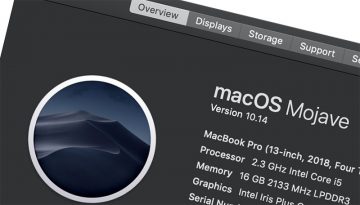
Switching to a new computer can often be a troublesome and time-consuming process since you need to transfer a large amount of data, settings, apps, configuration files, and more. However, Mac users can make use of an... Read more

Troubleshooting the 'Your account doesn't allow editing on a Mac' Error
Mac users still prefer to use the Microsoft Office software suite when it comes to editing documents, working with spreadsheets, or other files supported by Microsoft Office. However, some Mac users appear to... Read more

Malvertising Campaign Targets Millions of Users
A malvertising campaign dubbed "Tag Barnakle" has infected over 120 advertising servers in the past twelve months, according to security researchers. The goal of the large-scale campaign was to inject malicious code... Read more

Troubleshooting the 'macOS could not be installed on your computer' Error
Seeing the exciting new features and improvements in the latest macOS update is always a great feeling, but it may sometimes be hindered by an unexpected error saying 'macOS could not be installed on your computer.'... Read more

How to Remove the AMCleaner
AMCleaner is a Potentially Unwanted Program (PUP) for Mac, which has been around for over two years. The first propagation campaigns linked to this PUP were identified in 2018 – back then, criminals were abusing the... Read more





